

Rechargeable Wireless Gaming Mouse
Black
$59.99
Skip to product information

In stock


 Let me say I have been very happy with this decision
![Anonymous review photo]() Great for gaming
![Anonymous review photo]() Great Value Mouse, just needs a bit of touch up!
![Anonymous review photo]() ABSOLUTE NO BRAINER. BUY ONE.
![Anonymous review photo]() It’s very smooth
![Anonymous review photo]() Budget Mouse is Good.
![Anonymous review photo]() Half a decade, still best mouse
![Anonymous review photo]() Review of M801 Mammoth along with 4 other mice
![Anonymous review photo]() Best Mouse For The Price
![Anonymous review photo]() Been using this mouse for over a year, so far? FANTASTIC!
![Anonymous review photo]()


Rechargeable Wireless Gaming Mouse
$59.99
Color | Black
-
Purchased
-
Processing
-
Delivered

A
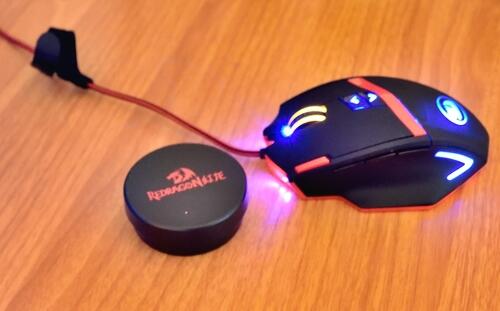
I had been using a Microsoft Wireless Mobile Mouse 3500 for a few years until it started to show sighs of wear and having problems with scrolling. I decided I wanted to upgrade to a mouse more suitable and capable for gaming. I am not a hardcore gamer, but more on the casual side so I did not need anything too extreme. After researching other mice available on the internet, I decided on this one, the Redragon Mammoth. Let me say I have been very happy with this decision.I decided going from wireless to wired again would save me battery costs and performance. Besides the wire on this mouse is not a typical one and makes it easy to identify with all my other computer wires. The mouse has several DPI modes you can switch rather quickly through. Up to 16400 DPI is pretty extreme but hey if that is your thing then go for it! Having said that the range of DPI should satisfied most. The mouse comes with a program that lets you do some customization, both physical and internal. You control the lights breathing or color to your liking. Looks great when the lights are on, and you can leave it like that because you do not need batteries! There is also a weight system in this mouse as well. Again I am just a casual gamer, where 16400 DPI and weights are much more than I need, but having them to try out and get a feel for is certainly a plus.Finally an important point the price. This price is definitely the best out there. For the customizations and capabilities of this mouse the price is very competitive with brands such as Razor. This is a fantastic alternative to brand names and will certainly meet your expectations. Instructions are in English! Give this one a try, I am sure you will be happy!
A
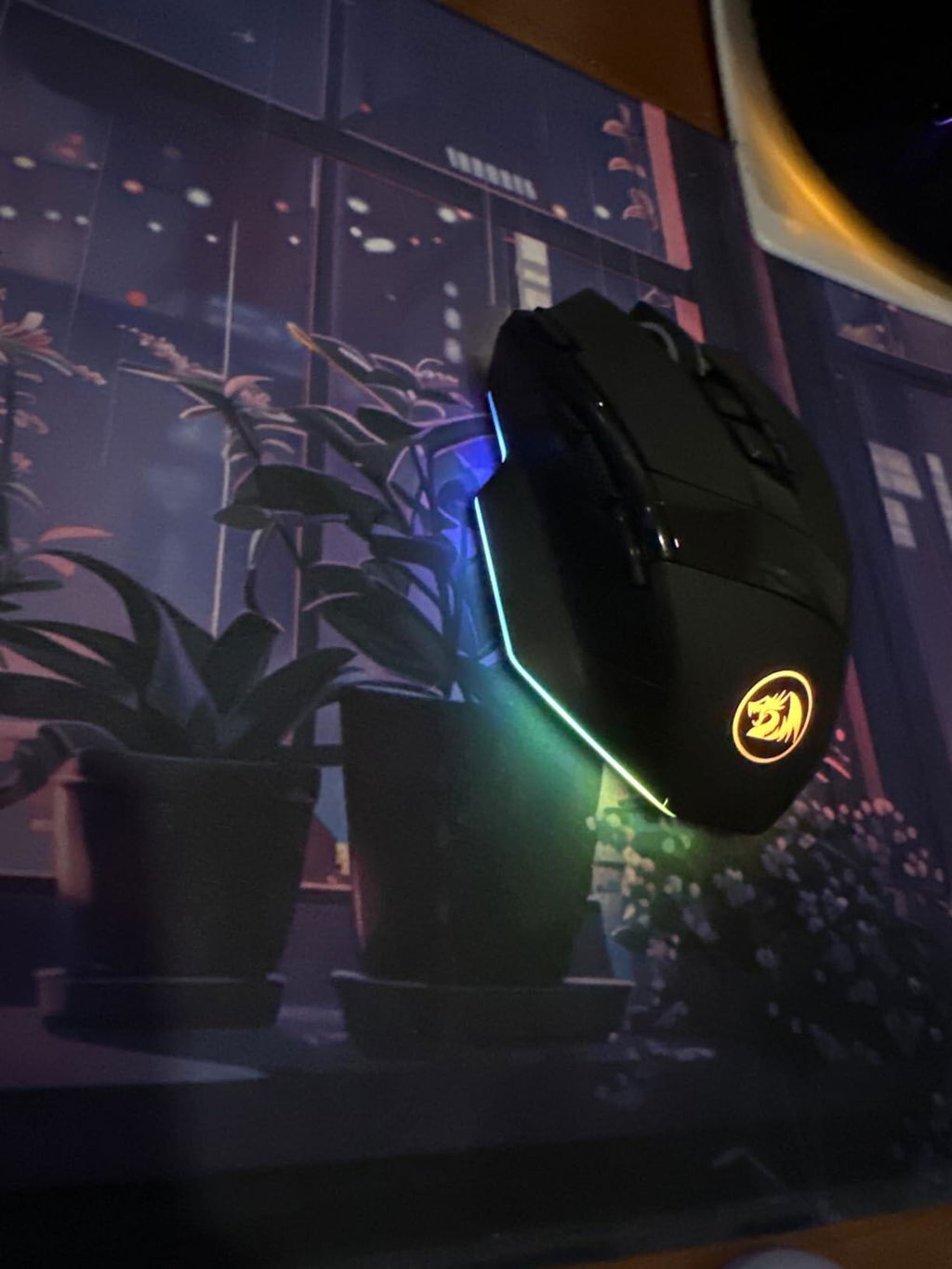
Very good quality mouse for gaming. The wireless comes with a wire to charge it also that can also be used to connect it to the pc
A
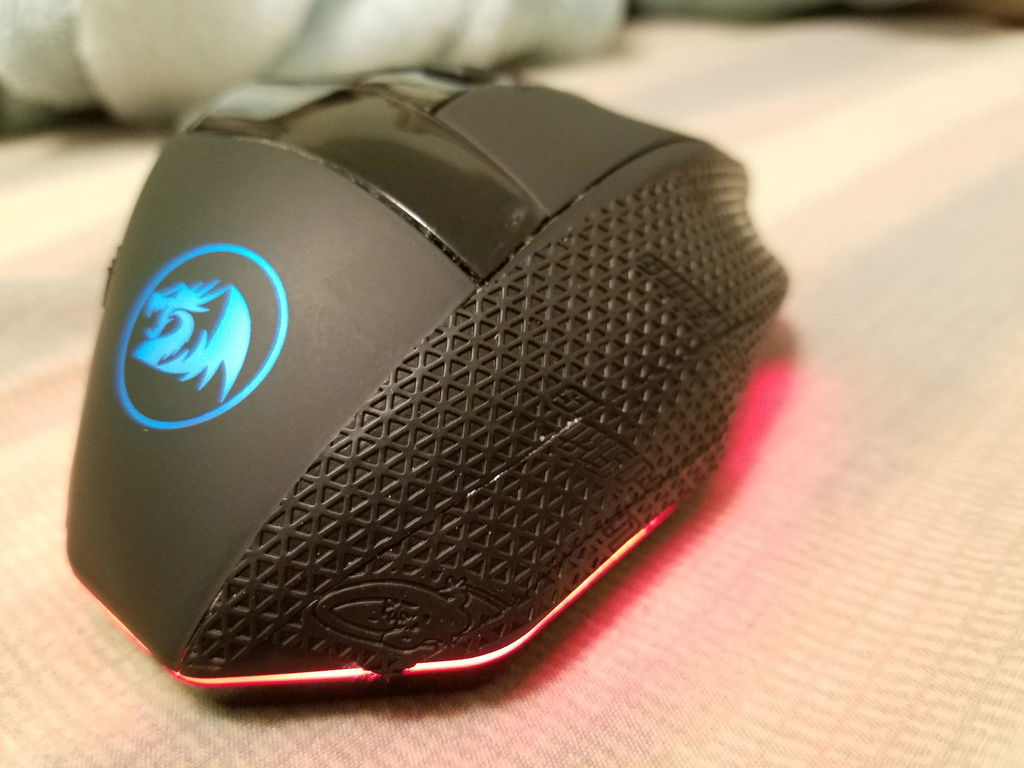
Finally, a wireless gaming mouse that's rechargeable, RGB, also with a budget price. Coming from the Redragon Griffin mouse, this one is a huge improvement in the ergonomics but still has much to desire. It can be on the more round and wide size and often times my ring and pinky fingers just slips right off when I reposition the mouse. No complaints on the dpi adjustment and scrolling, the side buttons on the other hand, I disagree with the first button being "L Shift" then the ones above being the "Back" and "Forward" causing me to stretch just for the forward button. The placement is other wise perfect just above your thumb rest. I never found a use for the "fire button" and polling being adjusted from the bottom is okay. I wish I could remap these buttons, but the software drivers don't appear on the website to download.Battery life is Great and the included USB-C charger means your can use it both wired and wireless. Very clear on charging with light indicators. The wireless receiver is well... a receiver, it works.The RGB is colorful, and bright, the placement being on point, no hot spots, overall good. Can't change it without the software so its stuck on the rainbow affect. (Edit) With the software you can only change to outer edges to a static color. The Logo can cycle through colors but it isn't very bright. Last the scroll wheel only lights ups to indicate the charging level.The build quality of this mouse is fairly plastic, much like the other Redragon mouses but still sturdy. The rubber feet on the bottom, again much like their other products, its okay.Overall at $40 this is a great wireless budget gaming mouse. My only issue was the lack of software put a limitation on my overall comfort.Update: As of 10/26/2019 the software is now available on their website!Update: As of 11/20/2020 Mouse is still doing great and haven't had any issues with it so far. I also add mouse grips to the side to solve the grip issue.
A
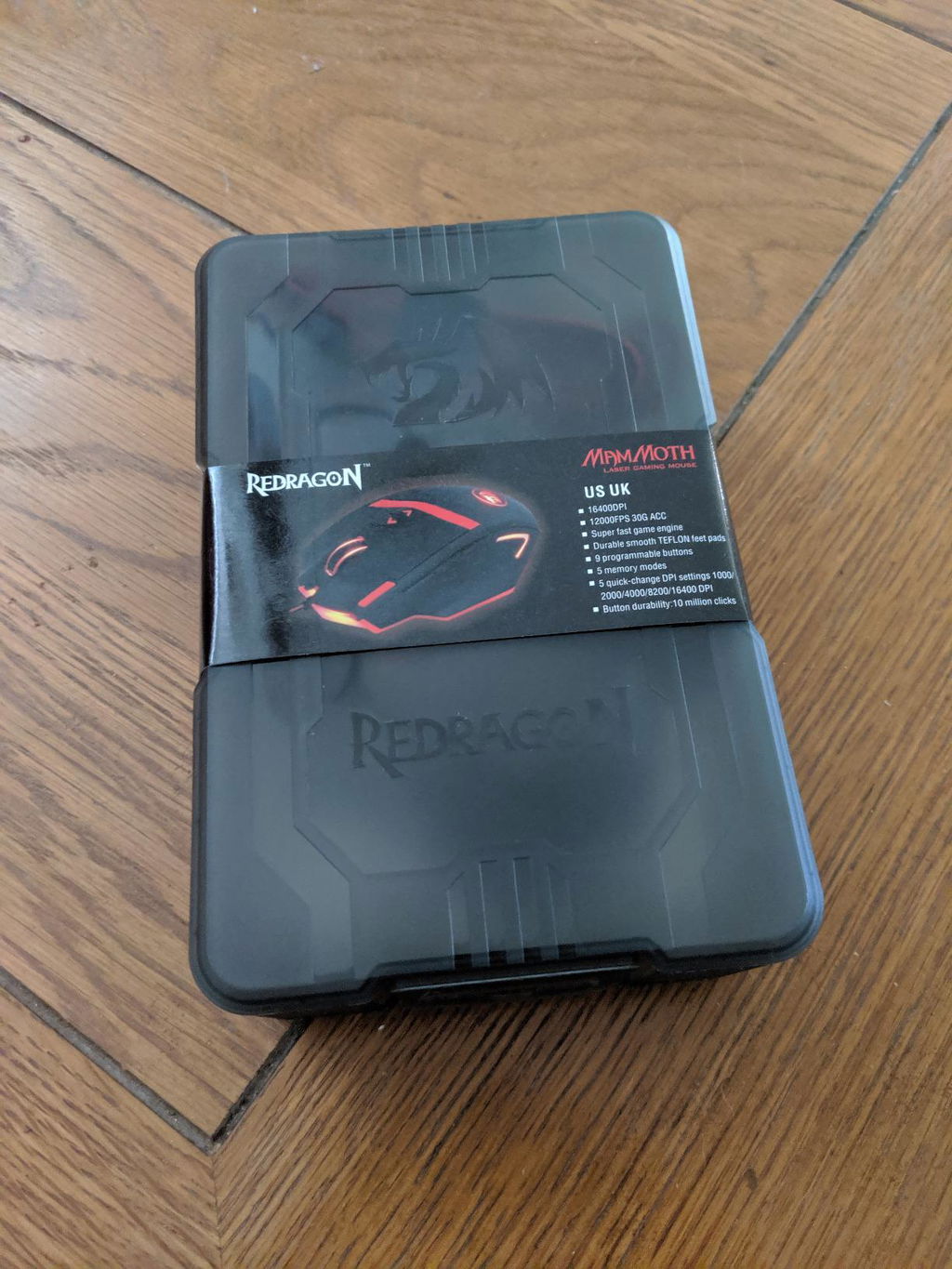
Much like everyone that purchases a Redragon or a budget gaming mouse to begin with, I wasn't looking to spend a bunch on a mouse. I'm a fairly casual gamer that works most of the time but when I get a break, I like to sit down and game. I purchased my first M801 in 2014 coming from the E-Blue Cobra, which is also an amazing budget gaming mouse. My hands are on the larger side so purchasing another E-Blue when it broke, while fantastic, was also a bit small for my palm style grip. I fell in love with the Redragon Mammoth M801 and used my original for 5 years before I started to notice button fatigue in primarily the middle side button as well as the center click on the scroll wheel. A little creaking in my left and right mouse button also came through this past year. 5 full years without issues is one hell of a bargain when you're only spending ~$20 for a peripheral. Not to mention, it was still playable. I searched for a while looking at the new Redragon mice that have come to the market and none of them really appealed to me. Thus, I said F it and bought my old trusted Mammoth M801 again. Plugged it in this morning and I realized once again how amazing this mouse is. One click to apply my recent settings using the Redragon Software and it was up and running just like my old Mammoth M801 again....but it's so damn satisfying to have brand new buttons.TL:DR Bought this mouse in 2014, fell in love with it. Buttons started to fail 5 years later. Looked around but everything else looked like crap. Bought another Mammoth M801 in 2019 and I have absolutely, positively, superlatively ZERO regrets that I went with this mouse again.Packaging has also come a long way and was very satisfying to open, I will definitely use the container for something else.New Mouse LEFT in picture - Old Mouse RIGHT in picture~Cheers Mates
A
This is the second time I bought this gaming mouse with the price it’s worth.
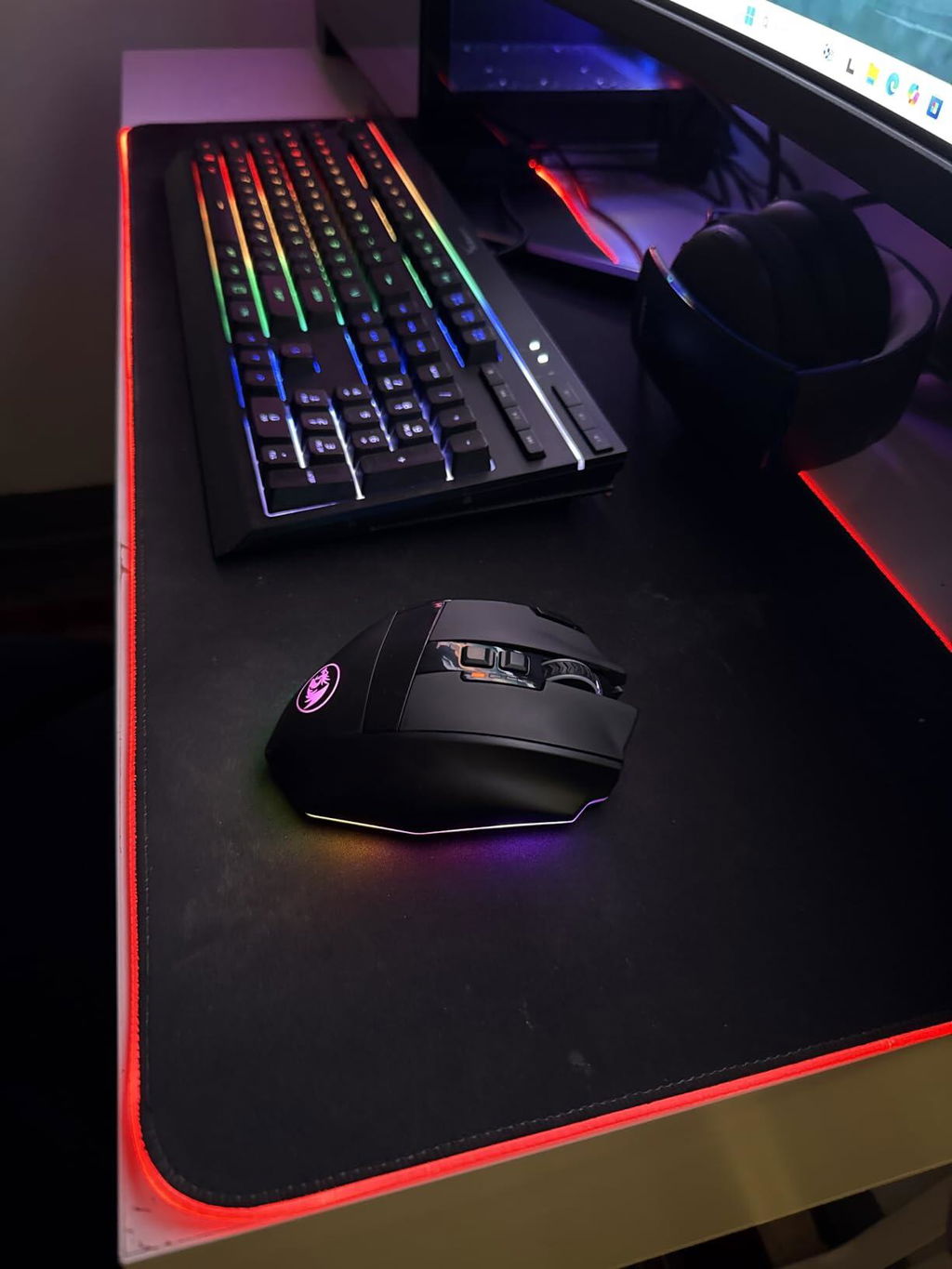
A
Alright, so, I ordered the Mammoth 801. I read reviews about this and made the jump. This is definitely a budget mouse.I am a bit of a snob when it comes to computer gear so please take this review with a grain of salt. Also, i am using this mouse for work purposes (estimating and floor plans).Lets start with the packaging. It came in a very nice box, looked great but the package i received had the plastic ripped in front of the mouse. In the box you have replaceable grips for the bottom of your mouse, the software disc, instruction flipbook and warranty information.I've been using the Razer Naga for about two years and it to me has been the best feeling mouse around. The grip on the mouse is not ideal for me. I can see that over time, the oil marks left from my fingers will soon ware in and make the mouse feel greasy. If it were up to me, the Rubber feel on the scroller would be ideal all around the mouse instead of a softer sand paper like material.(as you can see in the pictures) My hand does feel comfortable on this though, i like that i can rest my ring and pinky finger on the mouse instead of it awkwardly finding a position. Flip the mouse over and you do not have a light beneath the mouse but you have a settings switch button. Press the button and go through 5 profiles. Furthermore you can switch through DPI settings on top of the button of the mouse as well.Using the internet with this mouse has been a nice experience. For example, I don't have to click the X to close.. rather i click the down arrow to close and top for a new window, that's nice. Scrolling is simple, to refresh the page the last button on the left side will do so. (all of these are customizable through the software).The software is simple. Adjust your colors, DPI settings, the mouse keys to your liking. Very easy and i really found it helpful in getting to know my mouse better.Overall, this mouse is good. You are paying a lot less for a mouse that you can customize to your liking. I'd recommend this to anyone who is on a budget. If you want a better quality feeling mouse, i'd say save your money and go for something else.
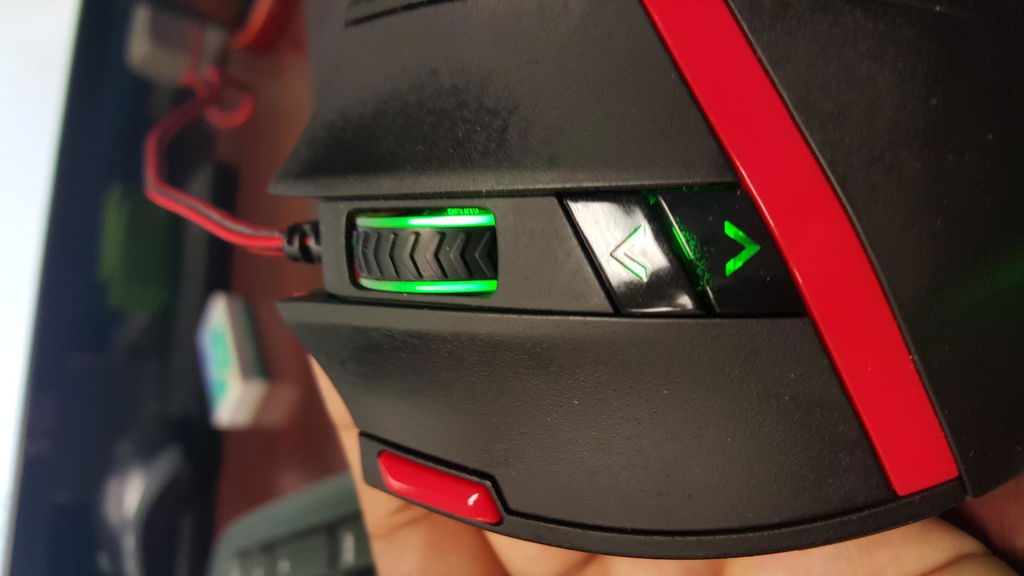
A
I’ll say this. I’ve had this sniper pro for about 5-6 years now, and it still kicks ass. Sure, the scroll wheel moves like butter, and the charging port is loose so i gotta pray it’ll charge everytime i plug it in, but damn does it still work. I still haven’t even used the third side button yet lmao, but know this. If this mouse ever gives out, and i gotta retire it. You’re DAMN sure I’m buying another one. Thank you Red Dragon, for the BEST budget gaming mouse I could ever ask for.
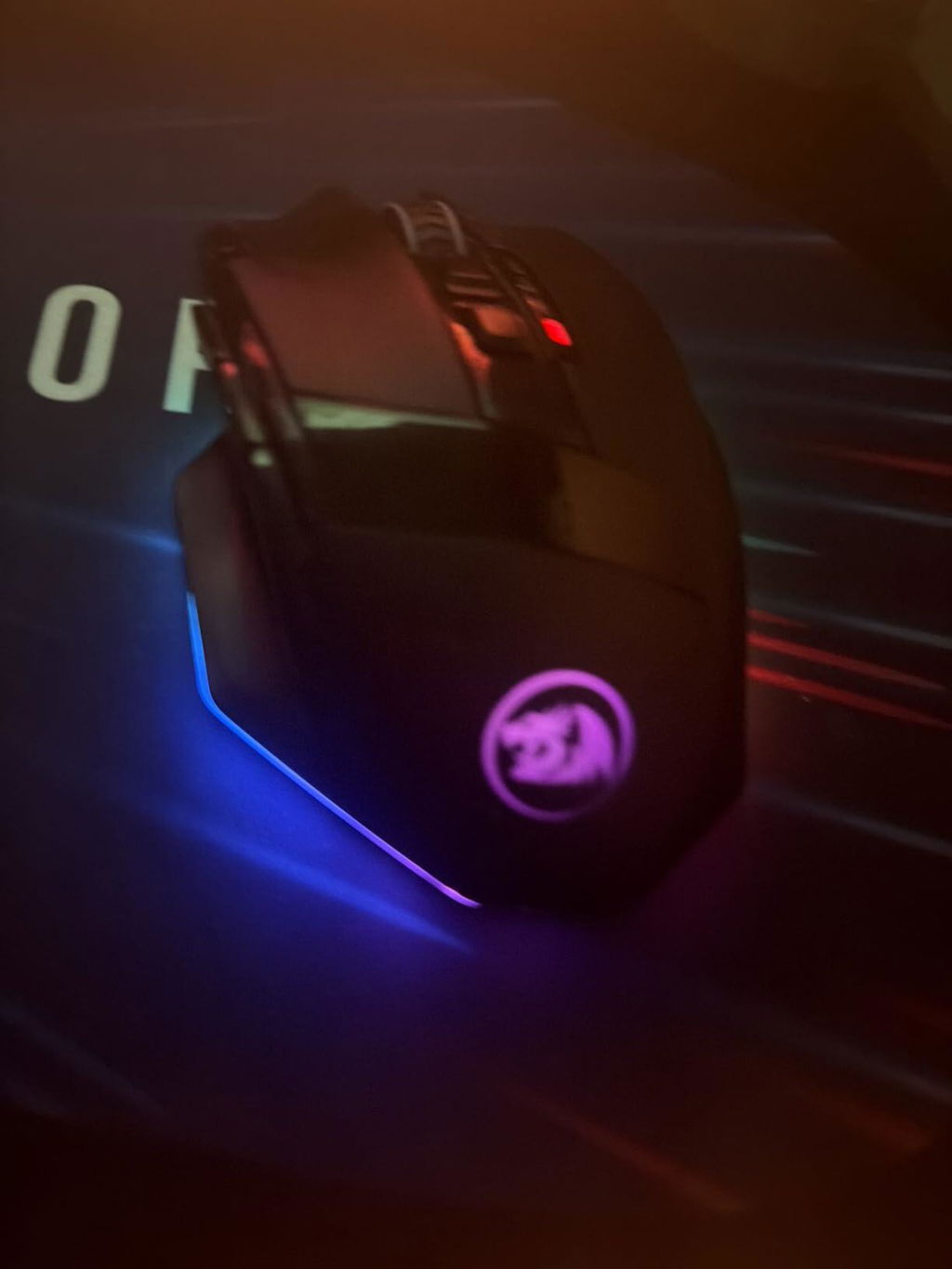
A
My DeathAdder 3G had been acting up on me for the past couple years and despite my attempts as resuscitating it (tried using compressed air on click switches as well as doing a 'scotch tape trick' on scroll wheel), the unit finally stopped working. My problems with this mouse at the end of its life were that 1) a click would sometimes register an additional click - making me accidentally open files when I wanted to just select them. This made dragging files around really frustating. 2) The scroll wheel would also randomly insert an upward scroll movement in the middle of a down scroll - which would make viewing webpages and documents a chore.My requirements for a new replacement were that 1) I wanted a mouse with good switches (preferably Omron) to avoid the double click problem. 2) A scroll wheel that would smoothly scroll and was of solid construction to not end up w/ the same scroll problem. 3) A mouse that could entirely turn off its LED lights as I have my desktop in my bedroom and prefer to have no external lights.I ended up trying several off of YT Rocket Ninja's Top 10 Mouse list. Although I do not game very much anymore, I figured a mouse that could survive the rigors of heavy gaming would be of higher quality than other office mice and would thus last longer and provide better feedback. Here are my thoughts on various mice that I tried and the Logitech G Pro which I finally ended up getting. (I tried each mouse for about a month to give me time to form a proper opinion.)Redragon M801 Mammoth - This mouse was the first candidate that I tried based off of Amazon's recommendation list. It had a really nicely textured mouse surface and the clicks were really crisp (Omron switches). The mouse was of a comfortable size for my hand and the cord was a nice braided one. It really was a quality piece and the price was by far the cheapest out of any of these other mice ($28). The software was also really light compared to the Razer Synapse software which seemed to want to update every 2 days. My main problem with this mouse was that you could only turn off the LED lighting to the wheel and dpi switches, and not the giant slash and side trim pieces. I did however find a YouTube tutorial that showed how you could unscrew the assembly through the weight compartment to pull the internal connector to disable the lights but did not want to go with the hassle). For people that don't care about the LED lights and/or on a budget, I would actually give this a 4* recommendation.Logitech G403 Prodigy - The next mouse I tried was the G403 after discovering Rocket Ninja's YouTube page. This was his #1 selected mouse so it was a good next choice. I learned that having the distinctly separate mouse buttons from the chassis aided in the longevity of the click buttons (The DeathAdder 3G had the buttons integrated in the overall shell of the body). Unfortunately, I found the mouse wheel to be much looser than my original DeathAdder as well as the Red Dragon and decided to return this mouse and look for alternatives. (3.5*)Razer DeathAdder Elite - I went with the DeathAdder Elite after my experience with the G403. Being a more expensive version of the original DeathAdder and also scoring high on the Rocket Ninja list, I thought that being done with this process and getting the updated version might be my final answer. The mouse was almost identical to the DeathAdder I had before with better mouse texture and lighter clicks. Unfortunately, it just felt like the old DeathAdder I had in nicer packaging. I strongly believe that in a few years, I would have ended up with the same problems as much current DeathAdder mouse. I also felt that it did not warrant the more expensive price point of $67. For a $40 mouse, it would be okay. For a $67 mouse, it felt cheap. And with mixed reviews and Razer's reputation of having products which do not last, I also ended up returning this. (3*)Nixeus Revel - Next was the fairly inexpensive Nixeus Revel. It was the first software-less gaming mouse that I tried and it had several really high points and one serious low point. I found the product to be fairly sturdy, the buttons and mouse wheel were really good. This mouse was the first one thus far to not have an LED built into the wheel assembly itself and I felt this added to the build quality of the assembly (solid block of plastic vs hollowed out wheel w/ a light). The downsides: If you left the mouse alone and let the screensaver turn on, the mouse would also "fall asleep". Clicks would not be responsive, and the scrolling would automatically switch to the lowest DPI setting. I found that if I switched DPIs, all these symptoms would be alleviated - but again, it was a really weird problem to have. Other reviewers noticed the same. Also, LED lights could not be turned off. (3*)Logitech G Pro - Lastly, I arrived at this mouse. It had good build quality with the Omron switches and even came with a braided cord. It also had the separ...
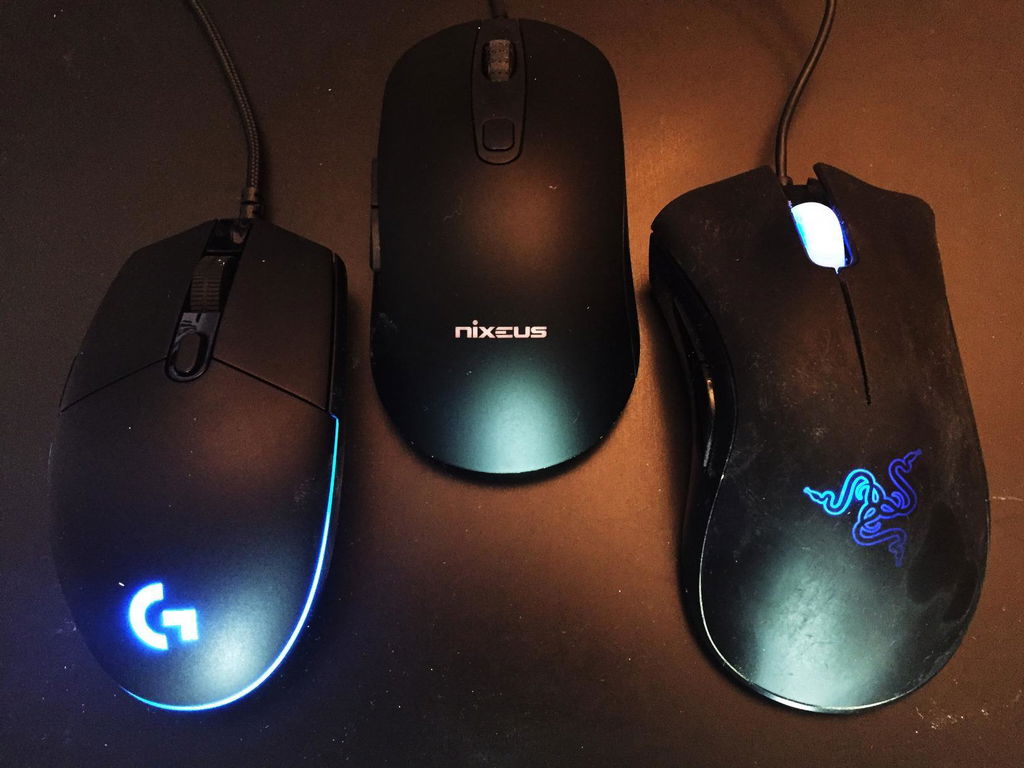
A
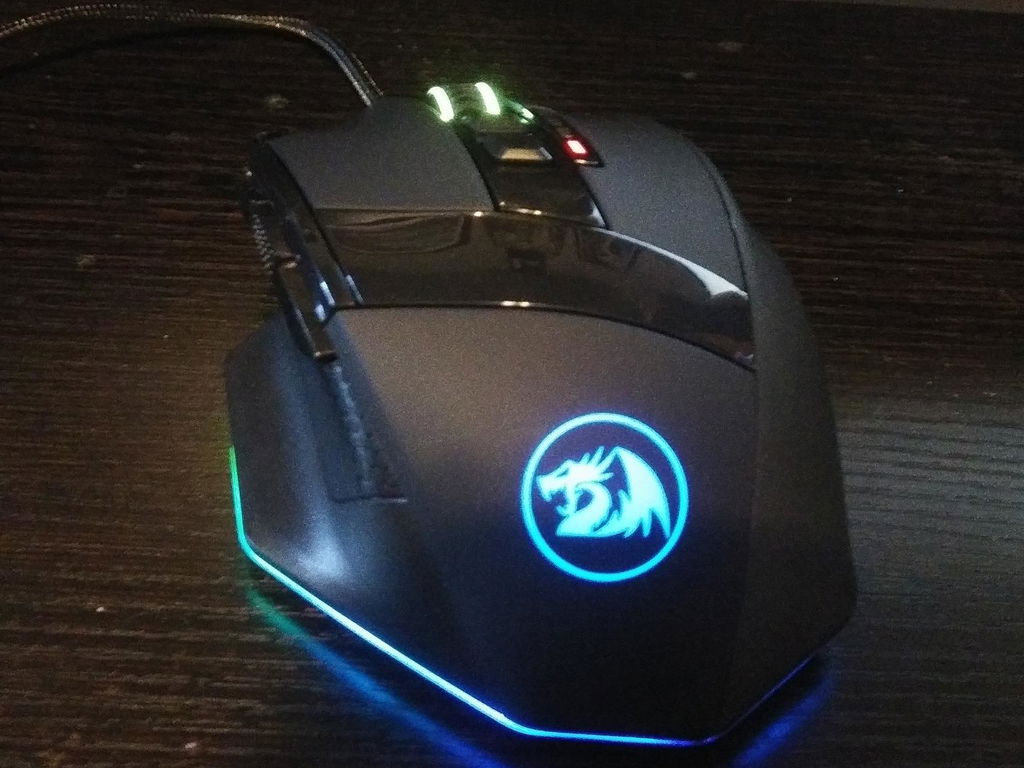
I bought this mouse to replace my now damaged Red Dragon Mammoth that lasted me a whopping 6 years, which is unfortunately not available to the market anymore. Instead, the Mammoth is replaced with this mouse, the M801/Sniper. If you're looking to replace your Mammoth, this is probably your best bet. But in general, as a mouse, it's insanely good for the price point.Pros:-Looks great. Solid black with RGB LEDs to offset it, and some sleek plastic as well as matte rubbery material to give it some flair. Honestly looks better in person than the photoshopped pictures in the listing, which I was pleased to find out.-Can change the LED's to your liking. Breathing, flashing, or even have it change according to your movements.-Easy weight tuning. May need some fingernails to get them out however.-Comes with a case for your mouse so you can store it or take it on the go, as well as a super mini case to store the included mouse weights. The case is somewhat reminiscent of a gray pencil box with the Red Dragon logo slapped on. You could find some use for it aside from a mouse box if you'd like.-Mouse cable is insanely durable. I've dropped it, tugged it, and dragged it on the floor and no sign of damage.-Programmable mouse buttons. Covers several options, like pause/play, backward, forward, pretty much all you need for easy browsing or computer navigation. Having the ability to mute in an instant is amazing.-Slides nice and smooth.-Different DPI settings insanely useful. I regularly switch between games and just click the DPI profile button and i'm ready to go.-Customizable DPI profiles.-It has included software with the mouse, though in the box it just says drivers. Go to the website and download the driver and it will come with included Red Dragon software for you to customize your mouse. Do note though, Windows may recognize it as a possible virus, but it's a false positive. Downloading it carries no risk from my experience.-New textured middle side and DPI buttons compared to the Mammoth. They are surprisingly better feeling and feels much higher quality. Good job Red Dragon. Simple but effective.-DPI Profile Indicator LEDs. It kind of looks like a 4 slot health bar on the middle of the mouse. They go up and down depending on which DPI Profile you are on. Very useful visual queue and looks pretty nice to boot.-If you use a regular palm grip on the mouse, it rests nicely in the hand. I imagine this would be an amazing FPS mouse.Cons:-Doesn't take kindly to Claw Grip. If you use claw grip on the mouse like I do, within time you will see wear on the paint where your fingers are placed. For me it's just two spots, but it doesn't impact gameplay or is really noticeable. Red Dragon has added a textured plastic siding where your thumb is placed on the M801 compared to the Mammoth, so this is less of a problem now.-Took me a while to get used to. I never used a mouse with a spot for thumb placement, so this felt insanely weird in games like League of Legends where I noticed it affected my gameplay. Over time you will get used to it though, it's just annoying at first.-This isn't really a con, but if you are coming from the Mammoth like I did, the M801 is slightly fatter. It's a minor change, but if you are really picky about mouse feel, it may turn you off.-Red Dragon's website is also very slow and has been for years. Not sure where the servers are located but is definitely something to be improved on, especially if one is to look for drivers.Overall, this is an incredible mouse and you really wouldn't expect this type of quality out of some random company. You 100% get your money's worth. And quite honestly, I may even buy it a second time that way i'll have a backup should this one fail on me. But given the Mammoth lasted me 6 whole years of constant gaming abuse, don't think that'll be anytime soon. They've really proven themselves as a competent peripheral manufacturer. 10/10.
A
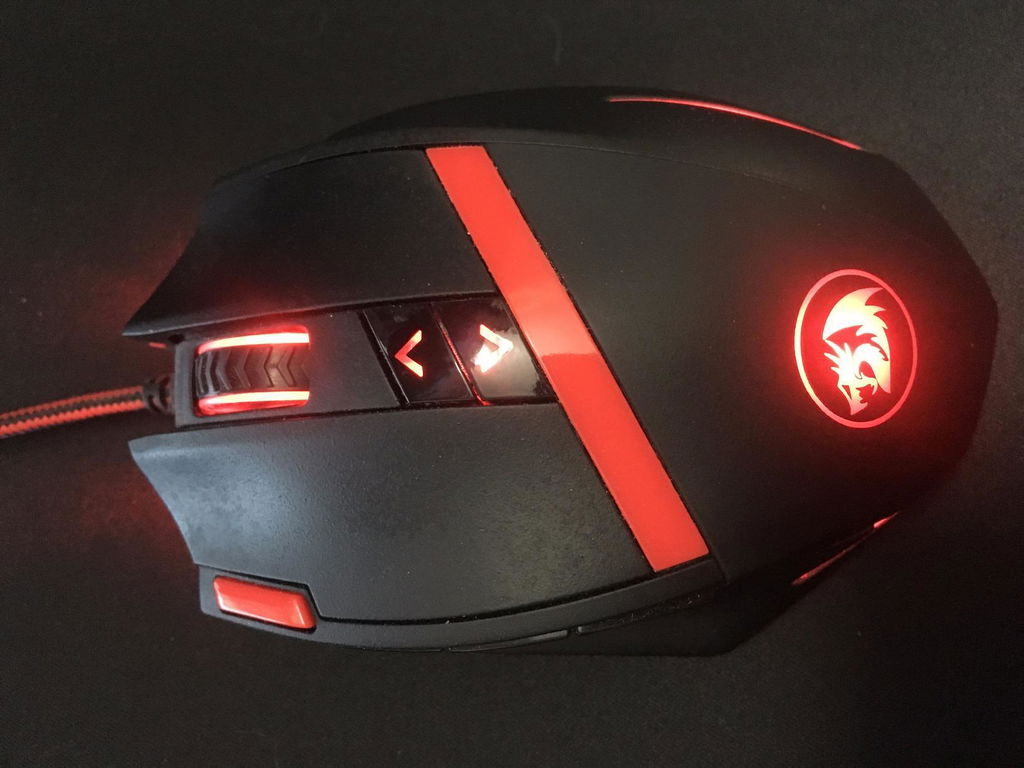
I bought this mouse a little over a year ago and it is still working like new to this day. I use it each and every day to play games, work in Photoshop, and surf the web. The amount of extra buttons on this mouse are enough for all the little shortcuts and things I like to do with them. The feel of this mouse in your hand is so comfortable to me. If you are a lefty, look elsewhere as this mouse is shaped for right handed people. The buttons are all very tactile and the left and right mouse buttons push fairly easy but not TOO easy to the point of pressing them accidentally while resting your hand on the mouse. The mouse itself comes with some weights to control how heavy your mouse is, a storage container for those, some software (on a tiny disc so make sure your PC can read those), some extra gliding pads for the bottom of the mouse if you ever need to replace them (I haven't had to yet), and the mouse itself. This mouse features up to 16400 DPI which can be fully configured and color coded in the software so you can switch between sensitivities on the fly. In the program you can change the color of the mouse to whatever you'd like it to be, however, some colors don't look quite right.. you can't actually get all the shades they say you can. You can set it to any shade you want but whatever lights they used just aren't capable of reproducing them correctly. But it CAN get any color of the rainbow just fine. Just don't expect to be able to fine tune your pink lighting. Also in the program you can assign all the buttons to do different things and color code your DPI settings so you will know what level of DPI you're on. The mouse has the ability to store different "profiles" with this information that you set. There is a button on the bottom of the mouse and that is what changes profiles for you when you are not in the program itself.You may be thinking, "Why do I need 16,400 DPI??". Short answer? You don't.. yet. For anyone unsure, DPI (Dots Per Inch) is a measurement that tells you how sensitive your mouse is. A higher DPI means you make smaller movements to move your cursor across your screen. For now the average screen resolution doesn't require a higher DPI right now because of it's size and pixel density. For example you might have to move your mouse one inch at 4000 DPI to make it go all the way across your screen, where as if you use say, 1000 DPI, you would have to move your mouse further across your mouse pad to make your cursor move all the way across your screen. By having the option to go to 16,400 DPI, you are future proofing your mouse to be able to handle a higher pixel density/bigger monitors as they become more relevant/common in the future.After using this mouse for over a year everyday, all of the buttons still function like new and I haven't had any issue. I saw a review on here talking about the coating of the mouse coming off and mine has not. I can see a TINY bit to wear but nothing is coming off and nothing feels weird about it, all the texture is still there. I am not sure how it would stand up to someone with sweaty hands though, I personally don't have that issue so I cannot attest to the durability in that department.The laser sensor on this mouse is very very precise and works well on multiple kinds of surfaces. I use mine on an extended mouse pad that houses my keyboard as well. I have never had any issue with the responsiveness of this mouse.The braided cable is an excellent premium feature that I did not expect to find in something with so many other features at this price point. It also has a Velcro type piece on the cable for cable management/storage purposes. For what you pay for this mouse you get SO much more than what you pay for in my opinion.Also found on the bottom of the mouse is the weight compartment, it looks like a big circle cut out on the bottom. You just twist it and it will unlock allowing you to remove it. It is somewhat difficult the first time and sometimes after that to get it off since there is nothing for you to really hold on to to pull it out. I just kind of shook the mouse a little and it ended up falling out. That could have been executed better but for the price it is a small complaint.The function of this mouse exceeded what I expected and it has lasted me over a year so far and shows no sign of giving out anytime soon.I guess if I had to give any cons to this mouse they would be as follows; the weight compartment is a little hard to get off sometimes due to lack of placed to actually pull it out with, and the LEDs in the mouse not being able to fine tune colors. Other than that I can't really think of anything else, and functionality wise, you're getting much more than you pay for.All in all, I give this mouse 5 stars. It does everything I and expect to do and then some. Highly recommended, I would spend my money on it again.
Elevate Your Gameplay with the Rechargeable Wireless Gaming Mouse
Designed for dedicated gamers and creative power users alike, this rechargeable wireless gaming mouse delivers uncompromising speed, precision, and freedom of movement. Built with advanced wireless transmission technology, it eliminates cable drag while maintaining a seamless, zero-latency connection. Combined with a sculpted ergonomic chassis, customizable RGB illumination, and professional-grade tracking capabilities, it empowers you to dominate fast-paced titles and execute complex workflows with absolute ease.
Ultra-Fast Wireless Transmission and Extended Battery Endurance
Say goodbye to tangled cords and input lag. The integrated high-performance gaming chip ensures an ultra-fast, stable wireless link with an expansive operational range of up to 10 meters. Equipped with an efficient high-capacity rechargeable battery, this mouse guarantees continuous power through the longest gaming sessions without interruption.
- Reliable Wireless Range: Enjoy smooth, lag-free data transfer up to 10 meters away from your PC setup.
- Long-Lasting Battery Life: Provides up to 35 hours of non-stop action with dynamic RGB lighting active, and extends up to 70 hours with lighting turned off.
- Dual Mode Flexibility: Recharge easily while continuing your match using the included heavy-duty braided USB-C cable.
Precision Tracking and Advanced Macro Customization
Target with surgical accuracy thanks to the top-tier optical sensor boasting up to 16,000 adjustable DPI and 40G acceleration. Whether you require micro-adjustments for tactical sniping or lightning-fast sweeps across multiple monitors, the tracking remains reliably smooth. Nine fully programmable buttons allow you to map crucial commands, macros, and shortcuts directly to your fingertips, supported by five onboard memory profiles for instant access across multiple game genres.
- Up to 16,000 Adjustable DPI: Cycle through customized sensitivity tiers instantly to match your game style or desktop tasks.
- 40G Acceleration: Maintains flawless cursor accuracy even during sudden, rapid hand swipes.
- 9 Programmable Buttons: Remap controls and bind essential macros to streamline your actions in competitive play.
- 5 Onboard Memory Profiles: Save your custom button configurations and DPI preferences directly onto the mouse hardware.
Vibrant RGB Effects and Built-to-Last Ergonomic Construction
Match your battlestation's aesthetics with customizable RGB backlighting featuring 8 vibrant lighting modes, 10 brightness levels, and dynamic breathing patterns, all with an optional shutoff setting to conserve battery. The mouse is engineered for lasting comfort during intense sessions, incorporating an anti-skid tactile scroll wheel, ultra-slick low-friction feet for effortless gliding, and a detachable 6-foot braided fiber cable for reinforced durability.
- Customizable RGB Lighting: Features 8 dynamic illumination effects and 10 adjustable brightness stages, with a dedicated toggle to turn LEDs off.
- Anti-Skid Textured Wheel: Provides tactile feedback and precise scrolling for weapon swaps or document navigation.
- Low-Friction Gliding Pads: Smooth gliding surface pads offer consistent, frictionless mouse maneuvers on any mousepad.
- High-Speed Braided USB-C Cord: Includes a detachable 6-foot, 3mm braided fiber cable for simultaneous charging and wired play.
- Broad System Compatibility: Fully compatible with Windows 11, 10, 8, 7, Vista, and XP systems, with basic plug-and-play support for macOS.